
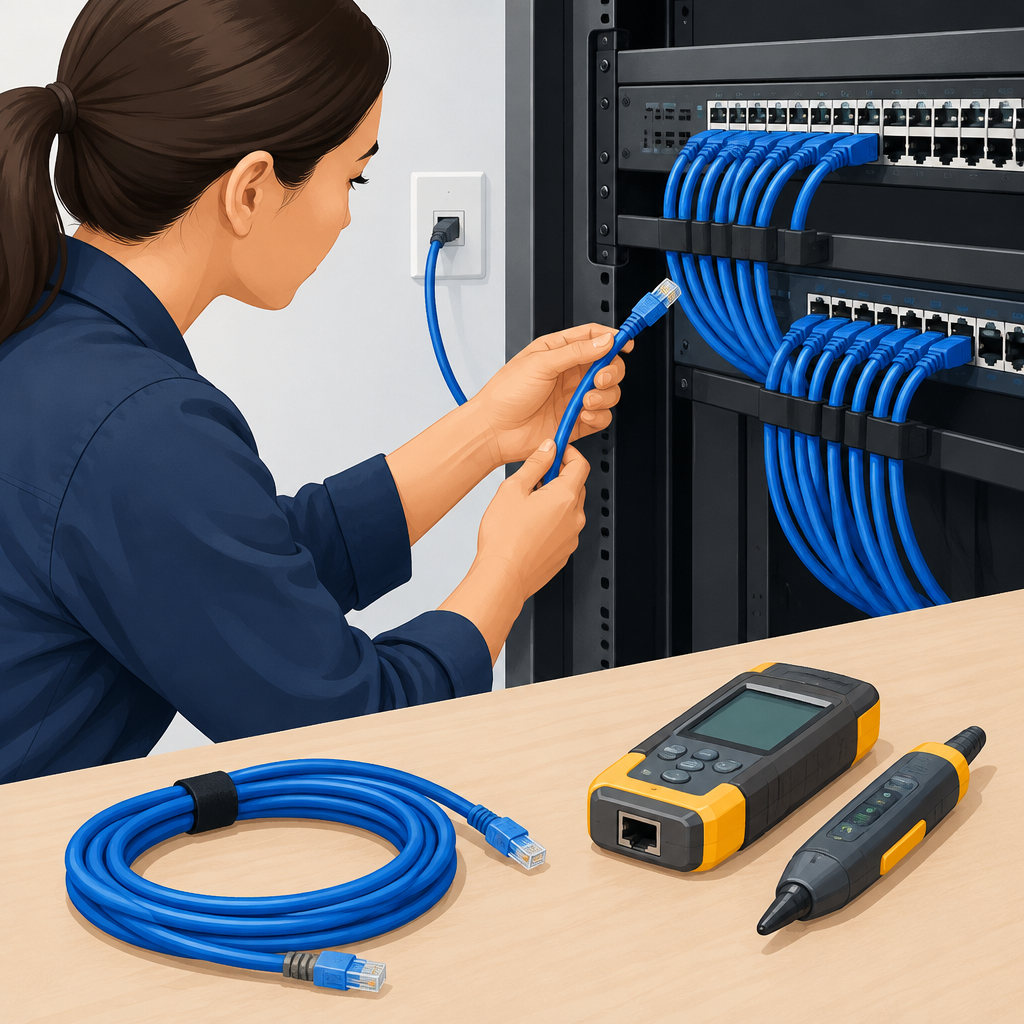
Why cabling should be checked first
When a network device starts behaving badly, it is tempting to blame the switch, router, firewall, or access point immediately. In practice, Ethernet cabling is often the first thing to verify because the physical layer can create symptoms that look like application failures, cloud outages, or bad configuration. A damaged cable, a loose patch lead, a bent connector, an incorrect wiring standard, or a bad wall jack can cause link drops, negotiation failures, slow throughput, intermittent packet loss, Power over Ethernet problems, and misleading authentication issues. Replacing equipment before checking the cable risks spending time and money on the wrong layer while leaving the real problem in place. It can also expose a defensive cybersecurity gap if a damaged segment is hiding a rogue bridge, an unauthorized device, or a failing inline appliance. Start with the assumption that the cable path is guilty until it is proven sound. That approach is faster, safer, and easier to reverse than changing active network infrastructure first.
Build a safe baseline before touching hardware
Before you test anything, establish what normal looks like on the owned or authorized network. Identify the affected device, the switch port, the wall outlet or patch panel position, the cable route, and the service that appears broken. Note whether the issue affects one endpoint, one room, one VLAN, one application, or the entire site. Document the current link speed, duplex state if visible, PoE status if relevant, and any visible LED behavior on the port and device. If your environment uses cloud-managed networking, confirm whether the cloud dashboard shows the link as up, flapping, or down, but do not assume the dashboard is the ground truth; it is only one signal. If a cable feeds a firewall, IP phone, camera, or access point, consider the upstream dependency chain so you do not mistake a downstream service outage for a cabling fault. This baseline matters because troubleshooting should be measurable. Once you know what changed, you can make one reversible adjustment at a time and confirm whether the symptom follows the cable, stays with the port, or remains with the endpoint.
Inspect the physical path from end to end
A careful visual inspection often finds the issue without any tools. Look at both ends of the cable and follow the path as far as possible. Check for loose plugs, broken latches, sharply bent sections, pinched cable under furniture, crushed conduits, damaged jacket material, exposed conductors, and kinks near patch panels or wall plates. If the cable runs through a tray or behind equipment, verify that it has not been stretched, stepped on, or routed too close to sources of electromagnetic noise. Confirm that the cable type matches the job: modern twisted-pair Ethernet is designed for balanced signaling, and mixing poor-quality or damaged cables into a run can undermine the whole path. When patching through multiple segments, remember that every connector adds a possible failure point. Keep notes on which patch cord, wall jack, patch panel port, and switch port are part of the path. A small label is often more useful than memory. If the physical path looks suspect, replace only the suspect patch cord first, because that is the most reversible change and the easiest to confirm before touching structured cabling or equipment.
Test one variable at a time with simple swaps
The safest troubleshooting method is controlled substitution. Replace the patch cord with a known-good cable of appropriate category and length, then recheck the link. If the symptom disappears, the original cable was likely the fault. If the problem remains, move one step along the path and test the next segment, such as the wall jack or patch-panel cross-connect. Keep the original parts available so you can restore the network exactly as it was. Avoid changing the cable, the switch port, and the endpoint at the same time, because that removes your ability to know which component caused the change. If the device is PoE-powered, verify whether it still receives power after each swap, since insufficient power can appear as a network issue. Pay attention to negotiation behavior: a cable problem may force a link to a lower speed, create repeated renegotiation, or keep the port from establishing a stable connection. For networks carrying application traffic to local servers or cloud services, a cable fault may show up as timeouts, slow uploads, or VPN instability even when the internet service itself is fine.
Use test tools, but respect their limits
Basic continuity testers, cable certifiers, tone and probe kits, and switch diagnostics can all help, but each tool answers a different question. A continuity tester can reveal open pairs, miswires, split pairs, or shorts. A certifier can provide deeper validation of attenuation, crosstalk, and length within its supported standard. Switch logs and interface counters can show flapping, errors, or speed changes, although the exact names and views vary by vendor. If your equipment supports it, review interface error counts before and after a swap so you can see whether the fault is accumulating. Do not overread a simple pass result; a cable can pass continuity and still perform poorly under load, especially if the run is damaged, poorly terminated, or marginal for the intended speed. Likewise, do not treat a switch error counter as proof that the switch is bad. It may be reporting what the cable is causing. Treat tools as evidence, not verdicts. When a tool suggests a fault, confirm it with a second method before replacing more hardware than necessary.
Hypothetical examples of fault isolation on authorized systems
Hypothetical example for practice.
In a hypothetical small office, one workstation loses access to a cloud-hosted application every few minutes while neighboring desks remain stable. The local switch port shows link up, but the user reports brief drops during file uploads. A known-good patch cord between the workstation and the wall jack fixes the issue immediately. The original cord had an intermittent internal break near the connector, so the switch and router did not need replacement. In another hypothetical case, a ceiling access point on an authorized network reboots unpredictably. The port shows power negotiation issues, and the cable run includes a field-terminated connector that was bent during maintenance. Replacing only that short segment restores stable PoE and wireless service. In a third hypothetical example, a security camera on an isolated VLAN appears offline, but the true cause is a damaged cable run behind a cabinet that intermittently opens one pair. Replacing the entire camera would not have solved the cabling fault. These examples show why the cable path should be proven before assuming the equipment itself has failed.
Common mistakes that lead to unnecessary replacements
One common mistake is replacing active equipment simply because the visible symptom is severe. A dead link, a flashing port light, or an application outage can still be caused by a poor cable or termination. Another mistake is mixing up cable quality with cable length. A short cable can still be bad, and a longer cable can still be fine if it is built and terminated correctly for the environment. People also sometimes reuse unlabeled patch cords from storage without checking whether they are damaged or rated for the intended network speed. A further error is assuming that all network problems are local. If the path carries traffic to a cloud service, a virtual private network, or an on-premises application, confirm the local link first before changing upstream routing, DNS, or firewall policy. Avoid bending, yanking, or repeatedly reseating connectors more than needed, because that can create new faults. Finally, do not ignore stop conditions: if you discover damaged insulation, heat, burning smell, exposed conductors, or any sign of physical hazard, stop and follow your site safety process rather than trying to test further.
Decide when the cable is cleared and when replacement is justified
You can treat the cabling as cleared when a known-good cable, correct termination, and stable port behavior all point away from the physical path and toward another layer. At that point, it is reasonable to inspect configuration, driver state, network segmentation, authentication, application health, or the device itself. If the symptoms stay with the cable path through multiple tests, then replacement or professional re-termination is justified. Before replacing equipment, compare the cost and risk of a new device with the much simpler act of replacing a failed cord, wall plate, or patch-panel termination. Use reversible changes first, and only move to bigger changes after the cable has been ruled out. If the environment is important to availability or security, keep a written record of each test, including what changed, what stayed the same, and what stopped the problem. That record helps with future troubleshooting and reduces guesswork. The practical rule is straightforward: verify the Ethernet cabling path first, confirm the result with one or two repeatable checks, and replace network equipment only after the cable path no longer explains the fault.
Post a Comment