
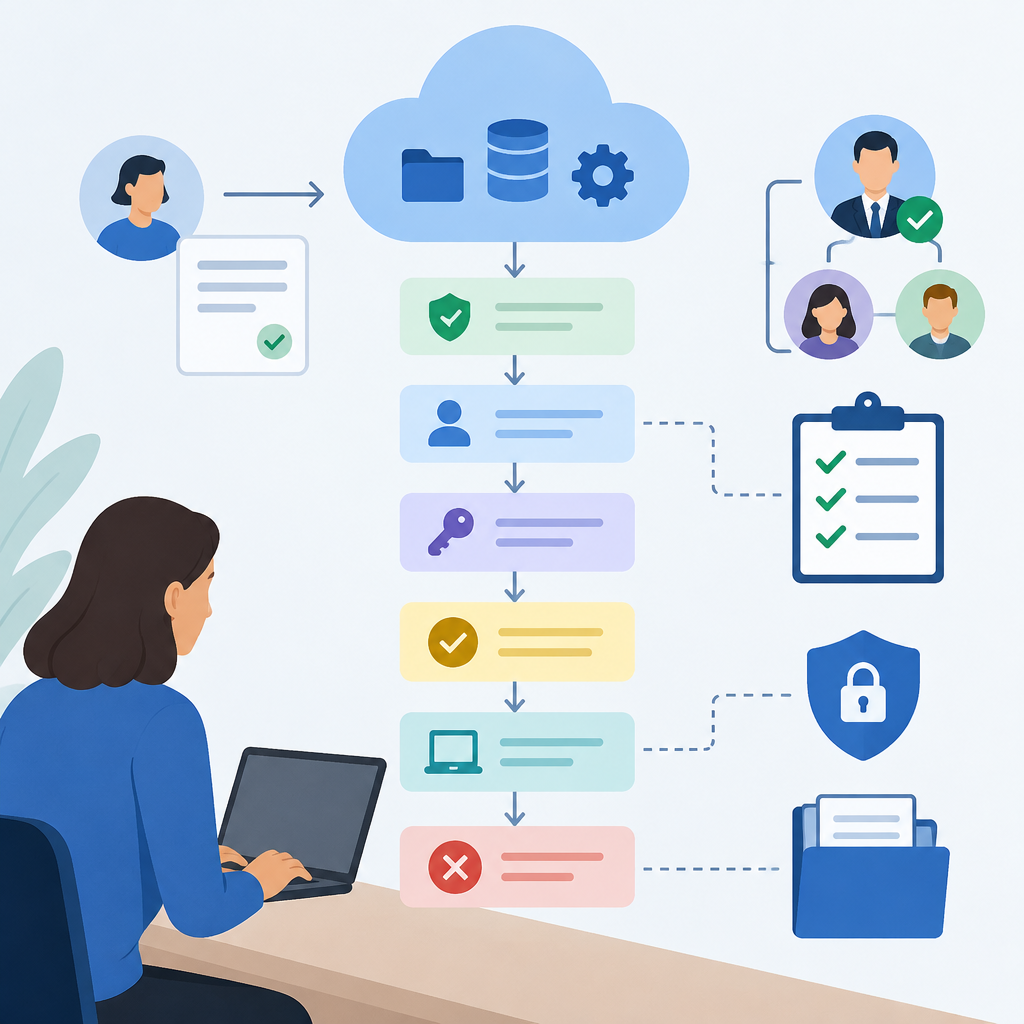
1. Define the access request before anyone changes permissions
Good documentation starts with the reason for access, not the account name. Record who is requesting access, which cloud service is involved, what resource they need, and the exact task they must complete. A request to read logs is not the same as a request to edit infrastructure, and a temporary troubleshooting grant is not the same as a long-term role assignment. On owned or authorized systems, write the request in plain language and include the business purpose, the expected duration, the data sensitivity, and whether the user needs human access, API access, or both. Also note whether the request is for a person, a service account, or an automation workload. This prevents confusion later when you review why access was granted and whether it should still exist. If your organization uses tickets, change records, or approval workflows, tie the request to that record so it can be traced without searching email threads or chat history. The goal is to make the request understandable to someone who was not involved in the original conversation.
2. Capture the minimum details needed for traceability
A useful access record should survive staff changes, audits, and troubleshooting. Include the identity of the requester, the approving manager or system owner, the cloud tenant or subscription, the application or project name, the requested role, the resource scope, the start and end date, and the reason for access. Add any dependencies that affect the grant, such as VPN use, device posture requirements, multifactor authentication, or group membership. If the request is tied to a ticket, store the ticket number and approval timestamp. If the access is granted through an inherited group rather than directly on a resource, note that relationship so future removal work targets the right place. Also record the intended stop condition: for example, access ends when the incident closes, when the contractor leaves, or when a maintenance window completes. Keep the language specific enough that another administrator can repeat the decision later without guessing. Avoid vague phrases such as “needed for work” because they do not explain scope, duration, or authority. Good records reduce accidental overprovisioning and make later cleanup much easier.
3. Use least privilege and separate temporary from permanent access
Least privilege means granting only the access needed to complete the current task, and nothing broader. Document which permission model was chosen and why it was appropriate: direct role assignment, group-based access, conditional access, or a temporary elevated workflow. On cloud platforms, a broad administrator role is rarely the right default when a narrower reader, operator, or application-specific role would work. If a user needs to troubleshoot, consider whether logs, metrics, or read-only console access are enough. If a service needs to write data, define exactly which bucket, database, queue, or secret it must reach. Separate emergency or time-bound access from standing access so you can remove it confidently later. If a temporary elevation is necessary, document who can approve it, how long it lasts, and how it is revoked. The key verification step is to confirm that the person can perform the intended task without reaching unrelated resources. If they cannot, expand only the minimum required permission and update the documentation immediately. This keeps the record aligned with reality instead of becoming a stale description of an older state.
4. Create a clear approval trail before activation
Approval is not just a formality; it is part of the control record. Document who approved the request, what they approved, and whether approval covered the entire request or only a limited subset. For example, a manager may approve application access, while a system owner approves resource-level permissions and a security reviewer approves exceptions. If your process uses email, ticket comments, or a workflow engine, preserve the approval in a durable place rather than relying on chat history. On authorized systems, confirm that the approver had the right authority and that the request matches the approved scope. If the request changed during review, capture the revision and obtain updated approval before activating the new access. Do not assume that previous approvals cover new resources, higher privileges, or longer durations. A common mistake is granting access first and documenting later; that creates uncertainty and weakens accountability. A better practice is to document the approval path, then apply the permissions, then verify the actual effect. If the approval chain is unclear or incomplete, stop and resolve that before changing the cloud environment.
5. Record the change in a way that can be reversed
Every access grant should be documented as if it may need to be removed quickly. Note the exact group, role, policy, entitlement, or secret that was modified, along with the time of change and the administrator or automation that made it. If the change was made through infrastructure as code, record the repository, commit reference, or change set that introduced it. If the change was manual, identify the console action or API operation at a high level so another admin can reverse the same path. Keep a simple rollback note: how to return to the prior state, what dependency might break if access is removed, and whether any data migration or ownership transfer must happen first. On cloud systems, some permissions are inherited, so the visible grant may not be the real source of access. Document parent groups, nested roles, shared identities, and any identity federation rule that may re-create the permission automatically. This prevents the common mistake of removing one visible assignment while leaving a hidden path open. A reversible record is especially useful when troubleshooting needs to be stopped fast without creating new outages.
6. Verify the grant with functional testing and stop conditions
Hypothetical example for practice.
After access is granted, verify only the minimum needed behavior. The test should confirm that the user or service can perform the intended task and cannot do more than required. For a person, that might mean opening the assigned application, listing the correct project, or reading the expected logs. For a service account, it might mean authenticating successfully, reaching the required endpoint, and failing when it attempts an out-of-scope action. Do not treat a successful login as proof that the permission model is correct. Check for time-based conditions, device requirements, network restrictions, and conditional access rules that may alter the result. Write down the test outcome, the timestamp, and any unexpected behavior. Also define stop conditions in advance: stop if the access can reach unrelated resources, if the identity appears in the wrong group, if an approval is missing, or if the test reveals a broader permission than planned. Hypothetical example: a contractor needs read-only access to one storage bucket for a three-day audit. The verification should confirm that the bucket is readable, that write attempts fail, and that other buckets remain inaccessible.
7. Remove access safely and document the cleanup path
Removal should be treated as a controlled change, not a simple checkbox. Start by confirming why the access is ending: project completion, contract expiration, role change, incident closure, or suspected compromise. Then identify every place where the permission may exist, including direct role assignments, group memberships, application roles, API keys, tokens, service principals, federation links, and shared secrets. On owned or authorized systems, remove the least disruptive layer first if that helps avoid outages, but document the order so it can be repeated. If the identity still needs some access for a handoff or archival task, narrow the permission instead of leaving full access in place. After removal, verify that the person or service can no longer perform the targeted action and that legitimate remaining workflows still function. Keep a note of any delayed effects, because cloud systems may cache identity data or propagate changes asynchronously. If removal fails, do not repeatedly retry blindly; inspect inherited permissions, synchronized directory groups, or automation that may be re-adding the access. The stop condition is simple: once the unwanted path is closed and the remaining business task still works, record the result and close the change.
8. Maintain an audit-ready record and learn from exceptions
The final documentation step is to make the record usable later for troubleshooting, review, and compliance. Store the request, approval, implementation details, verification results, and removal evidence in one logical place or linked set of records. Use consistent naming so the same person or resource can be found again without guessing. Note any exception handling, such as emergency break-glass access, temporary policy overrides, or access granted during incident response. If an exception occurred, write why it was necessary, who approved it, when it expires, and how it will be reviewed. Periodically compare documented access against actual cloud permissions to catch drift, orphaned accounts, and stale group membership. This is especially important when teams use multiple consoles, identity providers, and automation tools that can each change permissions independently. A recurring mistake is assuming that documentation is complete because a ticket was closed; closing a ticket does not prove that access was removed, only that the workflow ended. Treat the record as a living control tool. When you find a mismatch, correct the permission first if needed, then update the documentation so future readers can trust the trail.
Post a Comment