
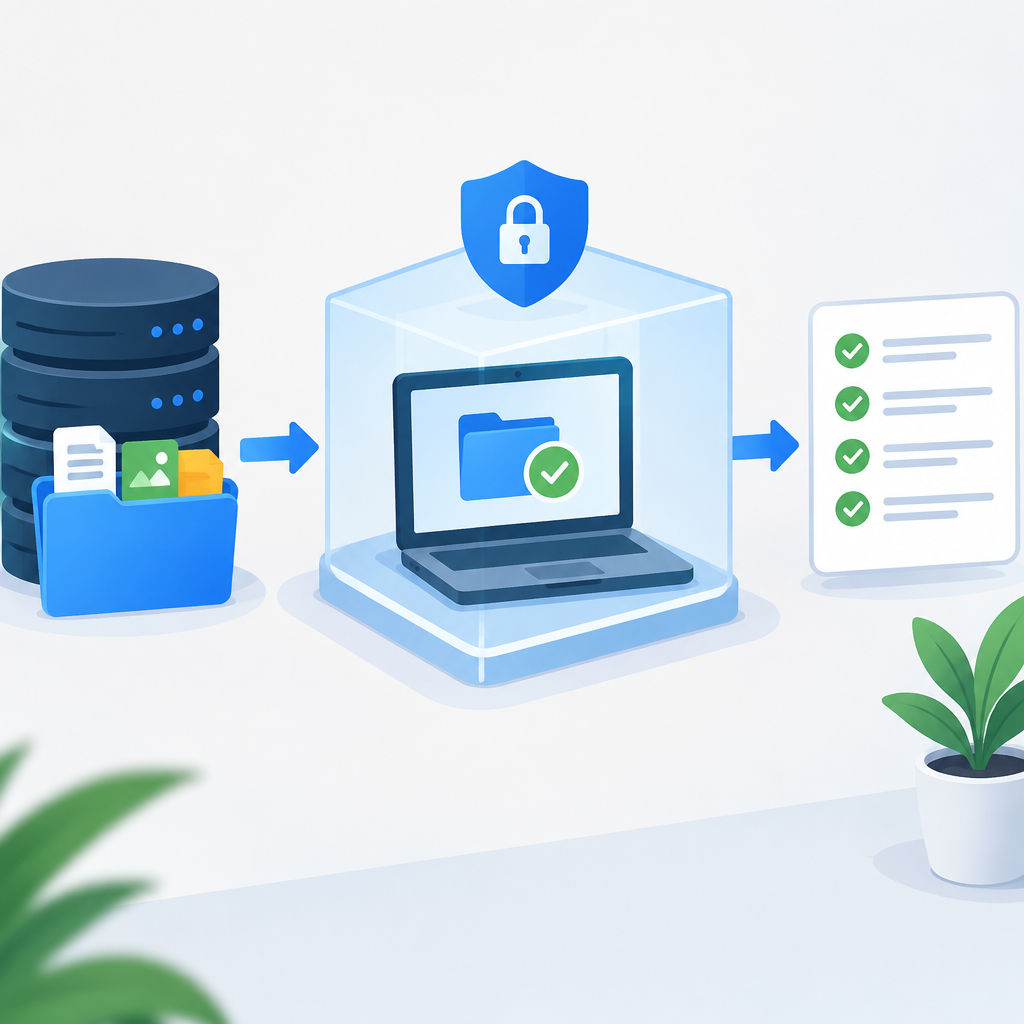
Define the Goal and the Stop Rule Before You Touch the Backup
A restore test is only useful if you decide in advance what success means. The real question is not whether files appear in a folder, but whether the restored data can be opened, authenticated, read by the intended application, and confirmed to match the expected point in time. Start by writing a stop rule that protects the original files: if the test environment is not isolated, if the backup cannot be identified clearly, or if verification shows corruption or unexpected content, stop and investigate before continuing. This discipline matters because restore work often involves the same filenames, credentials, shares, and cloud accounts used in production. You want to avoid any action that could overwrite live data, sync a test copy back to the source, or trigger automated cleanup on the wrong system. A good stop rule also includes a rollback path: keep the original backup set intact, keep source permissions unchanged, and do not reconfigure production endpoints until the test is complete. Consult your vendor documentation for product-specific safeguards, but keep the core principle simple: never let a test restore become a production change.
Prepare an Isolated Place to Restore the Data
The safest restore test happens in a separate, controlled environment that cannot write back to the original systems. That may be a virtual machine, a spare host, a temporary cloud project, a disconnected workstation, or a segregated network segment with no trust relationship to production. The goal is to prevent accidental propagation through file synchronization, directory services, mounted network shares, or automated backup agents. If you use cloud storage, create a distinct account, subscription, or project boundary with least-privilege access and no shared write path to the live data. If you use on-premises storage, disconnect the test system from the production subnet unless the restore method requires a temporary controlled connection, and even then limit routes, credentials, and firewall rules as tightly as possible. Before restoring, confirm that the test destination has enough free space, compatible file system features, and the correct time zone or locale if the application depends on them. Name the test location clearly so nobody mistakes it for production. A separate restore target is not just a convenience; it is the main control that keeps the original files safe while you validate the backup.
Choose a Restore Method That Minimizes Risk
Different backup tools support different recovery paths, and the safer choice is usually the one that restores the least amount of data needed to prove the process. For file-level backups, begin with a small sample set instead of the entire archive. For application backups, use a recovery sandbox or alternate instance if the software supports it. For database systems, restore to a separate database name, separate port, or isolated host rather than replacing a live database. If your platform offers item-level browsing, search for a few known files or records and restore only those into the test area. Avoid methods that require pointing the backup job at the original source and then changing destinations later, because that creates unnecessary opportunities for overwrite or confusion. When a vendor offers multiple restore modes, prefer the one that preserves the source untouched, logs actions clearly, and makes validation easy to reverse. If a command or interface is unclear, pause and read the product documentation instead of experimenting on the only copy you have. The safest restore method is usually the one that creates a separate, clearly labeled test result without altering the source system or the backup set itself.
Restore a Small, Representative Sample First
Hypothetical example for practice.
A full restore test is not the first step; a small, representative restore is. Pick files or records that cover the common risks in your environment: documents with special characters, large files, nested folders, archives, emails, database rows, configuration files, or permissions that matter to the application. The sample should reflect the kinds of data you actually rely on, not just a convenient text file. If the backup is encrypted or compressed, make sure the restore path includes decryption and extraction so you can verify that the complete chain works. Keep the sample on the isolated target and avoid mounting the restored folder on the production machine, because that can invite automatic indexing, sync, or backup tasks. Verify that timestamps, ownership, file types, and application associations look reasonable for the target platform. If the restore includes executable files or scripts, treat them as untrusted until scanned and checked in the test environment. The point is to prove that the backup can be restored into a usable state without creating any dependency on the original files. Once the sample passes, you can decide whether a broader restore test is justified. On owned or authorized systems, this staged approach gives you proof with minimal exposure.
Verify Integrity, Usability, and Scope After the Restore
A successful restore is measured by verification, not by the absence of error messages. Start with basic integrity checks: confirm the restored item count, compare sizes where that makes sense, and inspect hashes or checksums if your backup software or workflow supports them. Then move to usability checks. Open representative documents, launch the application against the restored data, mount the database on the test host, or inspect a configuration file to see whether the expected settings survived. If the backup contains permissions, confirm that read and write access align with the intended test user and that no broader access was introduced by the restore. Also verify scope: make sure the restore did not bring back excluded paths, stale temporary files, or data beyond the requested point in time. For cloud backups, confirm that the restored object version is the one you expected and that any lifecycle rule, replication setting, or retention policy did not interfere with the test. Keep the test environment isolated while you verify, because network access can change the result by pulling in cached credentials, redirected profiles, or remote dependencies. A restore that opens correctly in the wrong context may still fail in production, so check both the data and the environment around it.
Protect the Original Files While You Inspect the Results
The safest restore test leaves the original source and the backup catalog untouched until verification is complete. That means no rename that could confuse sync tools, no copy-back into the production path, and no temporary shortcut that points users to the test restore as if it were live data. If you need to compare source and restored content, work from read-only access wherever possible. On file systems that support it, mount the restored data read-only after the initial import. On applications that support it, use a clone, replica, or restore-to-new-name feature rather than in-place replacement. Be careful with endpoint protection, indexing, and synchronization software, because they may scan the restored files and create side effects that look like legitimate changes. If the original data lives in a shared folder, make sure no user has mapped the restored copy into a common drive letter or auto-synced directory. Keep a clear separation between the test and the source by labeling, permissioning, and documenting both locations. Your objective is to validate the backup without creating a new dependency on the test copy. If you ever feel tempted to “just point production at the restored version for a moment,” stop. That is the moment when a safe test can turn into a risky migration.
Document Reversible Changes and Troubleshoot Without Guessing
Every restore test should be reversible. Before changing anything, record what was modified in the test environment, what credentials were used, what storage location received the data, and what time window the backup represents. If the restore fails, reverse only the test-side changes: delete the isolated copy, detach the test volume, discard the temporary VM, or remove the temporary container or project if that was part of the process. Do not modify the original backup set as a troubleshooting step unless the vendor explicitly documents a safe repair path and you have preserved a separate copy for reference. When troubleshooting, isolate the layer that failed. A file that will not open may be a corruption issue, an application dependency issue, or a permission problem. A database that restores but does not start may need missing logs, version compatibility checks, or character-set validation. A cloud object that appears incomplete may reflect lifecycle, versioning, or encryption metadata problems. Test one variable at a time: storage, identity, network, application, and data content. Clear documentation keeps the troubleshooting process from becoming destructive, and it gives you a repeatable method for the next test. The best outcome is not just a working restore, but a restore procedure you can repeat safely.
Close the Test, Confirm the Backup Strategy, and Plan the Next Drill
Hypothetical example for practice.
When the restore test is complete, clean up the isolated environment and confirm that nothing from the test is still connected to production. Remove temporary access, delete the test copy if it is no longer needed, and review logs for signs that anything unexpected happened during the process. Then decide whether the backup strategy needs adjustment. If the restore was slow, maybe the storage tier, retention design, or network path deserves review. If a file opened but a dependent application failed, maybe the backup should include configuration exports, keys, or a better application-consistent snapshot method. If the test exposed uncertainty about ownership or permissions, tighten role-based access and document who may initiate restores. A restore test should end with a short written result: what was tested, what succeeded, what failed, what was changed, and what must happen before the next drill. Example: a team restores a project folder into an isolated virtual machine, verifies documents and permissions, finds that one archive is unreadable, and keeps the original production folder untouched while opening a follow-up investigation on the backup source. That kind of careful closeout turns a one-time test into an operational habit and reduces the chance that future recovery work will endanger the original files.
Post a Comment