
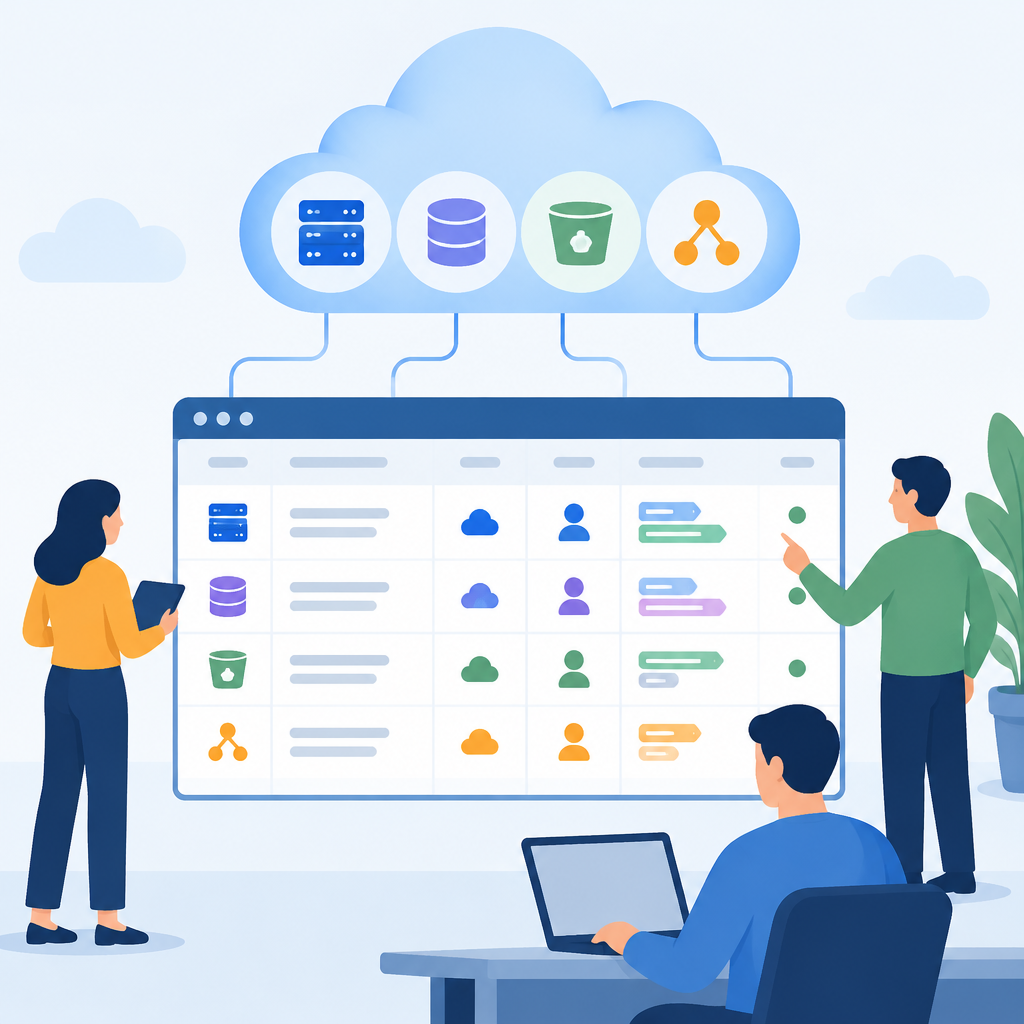
Why a Simple Inventory Matters
A cloud inventory does not need to be a large platform or a perfect source of truth on day one. For many teams, the goal is simpler: know what exists, who owns it, what it supports, and how to reach the right person when something needs fixing. That basic map improves troubleshooting, reduces duplicate spending, and helps with defensive security because exposed or forgotten resources are easier to spot when they are visible in one place. It also supports change management. If a virtual network, database, storage bucket, or application endpoint changes, the owner should be identifiable before the change is approved or after an incident begins. The key concept is accountability, not paperwork for its own sake. A simple inventory can live in a spreadsheet, a shared document, or an asset register, as long as it is readable, searchable, and maintained on a regular cadence. Start with the smallest useful set of fields and avoid collecting details you will not actually verify or update.
Define the Minimum Fields Before You Start
Before listing resources, decide which fields are mandatory and which are optional. A strong minimum set usually includes resource name, cloud provider, account or subscription, environment, resource type, owner, backup owner, business purpose, network exposure, data sensitivity, and last verified date. If your organization uses tags or labels, include the tag keys that must exist so the inventory can be cross-checked against the cloud control plane. Keep naming consistent enough that a person can recognize patterns, but do not force a naming scheme that makes operations harder than necessary. The owner field should identify a real person or a functional team, not just a project nickname. The backup owner is important for continuity because people are unavailable, rotate roles, or leave. Business purpose is useful when a resource looks idle but is still required for a scheduled job or integration. Data sensitivity helps explain why access controls or segmentation matter. Choose fields that support action: incident triage, access review, cost review, and decommissioning decisions.
Build the Inventory from Trusted Cloud Sources
The best starting point is the cloud provider’s own control plane because it already knows which resources exist. Use console views, APIs, export tools, or reporting functions your vendor documents. Then combine that information with internal sources such as service catalogs, application ownership records, and ticket histories. A simple inventory works best when it reflects three views at once: what the cloud shows, what the team believes exists, and what is actually running in production. Expect mismatches. Some resources are orphaned after projects end, some are created by automation with weak tags, and some are shared components that are easy to misclassify. Treat those discrepancies as normal troubleshooting data rather than failure. When you reconcile records, work from authoritative sources first, then fill in human context. If settings vary between providers, keep the method general: export resource lists, normalize the fields, and compare them against a master sheet. Avoid manual retyping where possible because transcription errors can be harder to detect than missing data. The inventory should be repeatable, not dependent on memory.
Assign Owners in a Way That Actually Works
Ownership must be explicit or the inventory will decay. A good owner is accountable for the resource’s normal operation, security posture, and decommissioning decisions within a defined scope. In practice, that may be a named engineer, a platform team, or an application group. The important part is that someone can answer questions without a long search. For shared services, define both an operational owner and a business owner, because the person who pays for or depends on the service is not always the same person who maintains it. Also define a backup contact and a response expectation, such as acknowledging an issue during business hours or in an incident channel. If you use mailing lists or group aliases, verify that they are monitored and current. Do not rely on informal knowledge transfer alone. When a resource has no clear owner, mark it as unresolved and track it separately rather than guessing. That makes the gap visible and reversible. Once a month or quarter, review unresolved items and either assign them or retire the resource after confirming it is safe to do so.
Use Tags, Labels, and a Control Check
Tags or labels are useful because they move ownership data closer to the resource itself. If a cloud provider supports metadata keys, use them to store the most important inventory fields such as owner, environment, application, and cost center. Keep the schema narrow so people can apply it consistently. Too many tags create drift, while too few make the inventory less useful. After defining the standard, verify a sample of resources directly in the cloud control plane to confirm the tags are present and readable. Then compare the tag set with your master inventory. This is a practical defensive control because missing ownership metadata often correlates with weak governance, forgotten test systems, or exposure that no one is watching. If your organization uses infrastructure as code, put the tag rules in the deployment templates so new resources arrive with the correct metadata by default. If a resource cannot safely be tagged, document why and add a compensating tracking method in the inventory. The stop condition is simple: when a resource can be found quickly, matched to an owner, and updated without guesswork, the control is working well enough for daily use.
Hypothetical Example: A Small Web App on Owned Systems
Hypothetical example for practice.
Suppose a team owns a small cloud-hosted web application named Customer Portal. The inventory row would list the compute instance group, managed database, load balancer, object storage bucket, DNS record, and monitoring alert channel as separate resources, because each has a different operational risk and may have a different owner. The application owner is the portal team lead, while the backup owner is the platform engineer on call. The database row includes a note that it stores customer profile data, so access control and backup verification matter more than they would for a static website. The load balancer row includes internet exposure, which helps security reviewers focus on the public entry point first. If a new staging environment is created for testing, it should enter the same inventory with a distinct environment label and its own owner. If the test environment is later deleted, the inventory should be updated immediately. This keeps the record reversible and honest. In this example, a basic spreadsheet is enough because the team is small, the resource count is manageable, and the review process is disciplined.
Keep the Inventory Fresh with a Simple Review Cycle
An inventory is only valuable if it stays current. Set a review cycle that matches your change rate: weekly for fast-moving environments, monthly for steady teams, or after each major deployment for small operations. During review, verify three things: whether the resource still exists, whether the owner field is still accurate, and whether the purpose still matches reality. Use recent change tickets, deployment logs, or cloud activity logs to find updates that may not have made it into the sheet. For troubleshooting, compare inventory entries against network symptoms. If an application is unreachable, the inventory should tell you which owner to notify, which security group or firewall policy is involved, and whether the resource depends on a database or shared service. If a resource is no longer needed, decommission it carefully and record the change, rather than deleting it from the inventory first. Reversible changes matter: confirm the replacement, keep a rollback path where practical, and document the stop condition if decommissioning might affect dependent systems. The best maintenance habit is a short, repeatable review that catches drift before it becomes a problem.
Common Mistakes, Verification, and When to Stop
The most common mistake is treating the inventory as a one-time audit artifact instead of an operational tool. Another mistake is using vague owners such as a department name with no contact path. Teams also often mix active production resources with retired ones, which makes troubleshooting slower and obscures risk. Avoid storing secrets, credentials, or sensitive logs inside the inventory. Keep it focused on identity, purpose, and accountability. To verify the inventory, pick a small sample of resources and check them against the cloud console, tags, deployment records, and owner confirmation. If the sample matches, expand gradually. If it does not, fix the data model before scaling up. Stop adding detail when the extra field no longer improves action. A simple inventory should help answer practical questions quickly: what is this, who owns it, is it still needed, and what should happen next? Once those questions can be answered reliably, the process is doing its job. From there, continuous maintenance is more useful than trying to perfect every record at once.
Post a Comment