
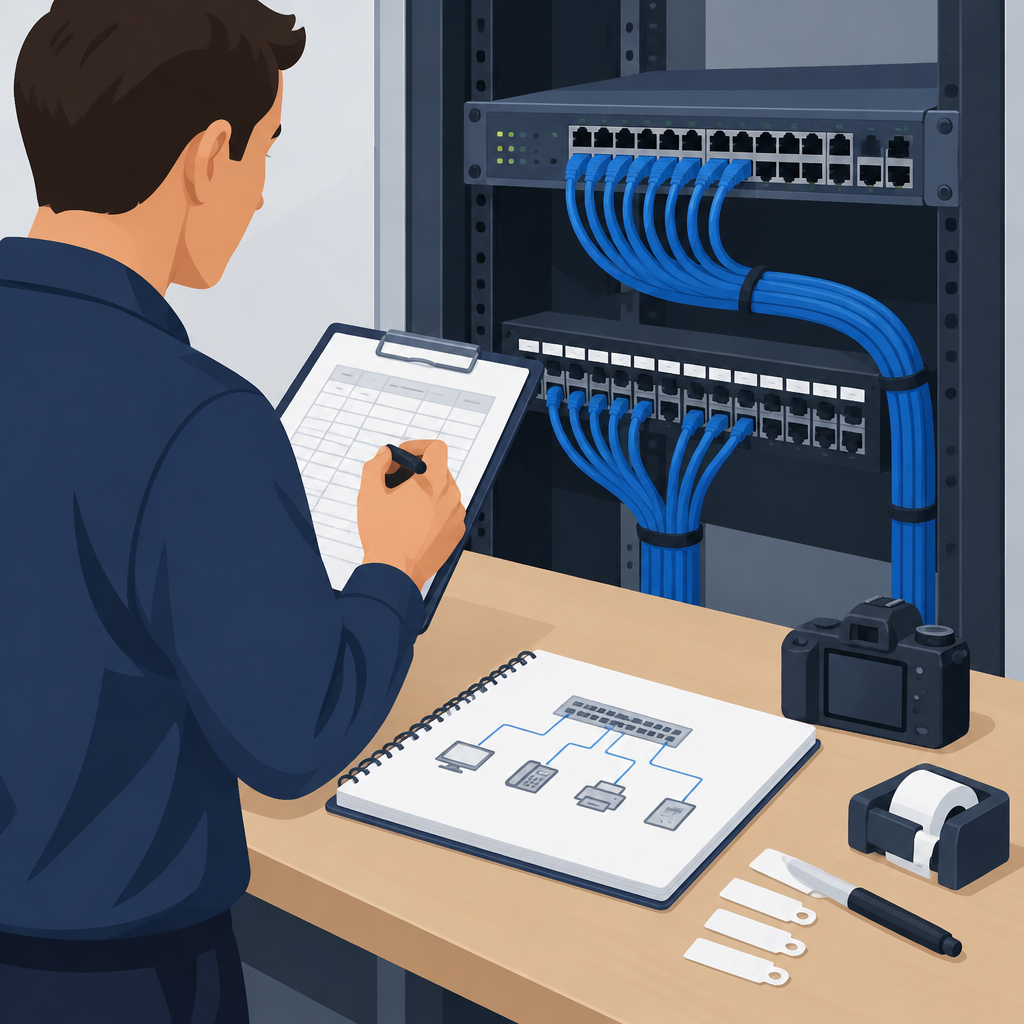
Why port documentation matters before any move
Before you move a single cable, create a clear record of what each switch port does. In a small office, a single unmanaged change can disconnect phones, printers, access points, cameras, backup links, or workstations that people assume are always available. Port documentation gives you a map of the physical layer and a baseline for troubleshooting if something stops working later. It also helps you separate intentional changes from accidental damage, which is important for both availability and defensive cybersecurity. If you later find an unexpected device on a sensitive port, you can spot it quickly because the original record shows what belonged there. The goal is not to build perfect network diagrams overnight. The goal is to capture enough reliable detail to reverse the work if needed and to confirm that your reorganization did not alter service. In practice, this means documenting port number, device type, location, and link status before you move anything.
Prepare scope, permissions, and a safe working plan
Start by confirming that you are authorized to inspect and move the equipment. On owned or approved systems, define which switch or switches are in scope, which closets or desks you will touch, and which services must remain online. Gather a laptop or tablet, labels, a camera, a notepad, a tone-and-probe set if you have one, and the vendor documentation for your switch models. If the environment uses a cloud-managed network console, make sure you can log in and that audit history or config backup features are enabled. Plan the work during a quiet period and tell users that brief interruptions may happen. Choose one segment at a time so you can stop cleanly if something looks wrong. Before disconnecting anything, save a current configuration backup if your equipment supports it, and record the time. That gives you a reversible starting point. A good rule is to avoid changing more than one thing at once; if you unplug, relabel, and move a device simultaneously, you may lose the evidence needed to recover quickly.
Build a port inventory from the switch outward
Begin at the switch and work outward in a structured way. Record the switch name, location, model family, management address if present, and which ports are active. Then note each port number, whether it is up or down, the speed and duplex if visible, and any role you can confirm from the attached device. If your switch management tools show MAC address tables, interface counters, LLDP or CDP neighbor information, or PoE status, use those hints to identify phones, access points, cameras, or downstream switches. Do not assume a port label is correct just because someone wrote it years ago. Compare labels against what the switch actually sees. For safety, capture screenshots or export reports if your platform allows it, but keep a handwritten or spreadsheet copy too. This dual record helps if one source is incomplete. A simple table with columns for port, current device, wall jack or room, service type, VLAN or network role, and notes is usually enough to guide a small-office reorganization without overcomplicating the process.
Trace the cable path and confirm the endpoint
A switch port by itself does not tell you where the cable ends, so verify the full path whenever possible. Follow the cable from the switch to the patch panel, from the patch panel to the wall jack, and from the jack to the endpoint device. If the cable route is hidden, use a tone-and-probe tool or a cable tester approved for the environment. When endpoints are powered by PoE, check whether the device remains powered after a move, because a phone or access point may still appear connected even if the data path changed. Also look for uplinks and daisy-chained devices; one port may feed several devices through a small switch, which means disconnecting it can affect more than one room. Write down whether the endpoint is a direct connection or part of a downstream chain. Example: on an owned office network, port 12 may appear to serve a printer, but the cable actually feeds a small desk switch that supports two PCs and the printer. That distinction changes how you label, move, and verify the circuit.
Label, photograph, and map with reversible detail
Use a labeling system that helps future work instead of forcing guesswork. Label both ends of every cable if possible, and make the label readable without removing the cable. Photograph the front of each switch, the rear cabling, the patch panel, and any wall plates or desk hubs that matter. Keep images tied to port numbers and room names, not just random filenames. If you use a spreadsheet or cloud document, store a local copy as well so you can work even if the network is down. Include a column for old location and new location when you are planning the reorganization, because relocation is easier to verify when you can compare before and after states. For sensitive spaces, avoid putting device names or internal addresses on public-facing labels; use an office naming convention that makes sense to your team without exposing more than necessary. The best documentation is plain, consistent, and easy to reverse. If a label conflicts with what you see in the switch, trust the evidence and annotate the discrepancy rather than forcing the documentation to match the label.
Plan the move as a sequence of controlled changes
Once the map is complete, stage the reorganization in small reversible steps. Move one user area or one patch panel group at a time, not the entire office. Before unplugging a cable, note the original port number, the device on the far end, and the intended destination. If the switch supports administrative features such as port descriptions, note whether you intend to update them now or after the physical move, and keep the old value until verification is complete. Avoid changing VLANs, trunk settings, or security controls during the same step unless that is part of a separate, approved change window. Reorganizing cables is a physical task; readdressing networks is a logical task, and mixing them makes troubleshooting harder. If your office uses cloud-managed networking, confirm that any topology or alerting view reflects the intended change after the move, but do not rely on the cloud console alone. The physical port, the patch panel, and the endpoint should all tell the same story. If they do not, pause and resolve the mismatch before proceeding.
Verify connectivity and watch for hidden side effects
After each move, verify the service that matters to that endpoint. A printer should print a test page, a phone should register, a workstation should reach internal apps and cloud services it normally uses, and an access point should broadcast as expected. Check for link lights, authenticated sessions, and normal application behavior, not just the presence of a green LED. If you can, compare before-and-after switch counters to see whether the port is passing traffic as expected. Watch for side effects such as a device falling onto the wrong network, a duplicate IP address, a mislabeled jack, or a port that is up but carrying the wrong device class. In a defensively minded environment, also confirm that no unexpected device appeared on a port that should remain reserved for a known system. If something breaks, use your documentation to restore the original cable path first, then troubleshoot more deeply. This is why reversible changes matter: a fast rollback is often more useful than a long investigation while users are waiting.
Common mistakes, stop conditions, and handoff to the next owner
The most common mistake is treating documentation as an afterthought. Another is trusting port labels that were never validated, or changing several cables at once and then losing track of the original layout. People also forget to document uplinks, hidden desk switches, PoE dependencies, and unused spare ports that may later be needed for expansion. Stop immediately if you find an unknown device on a supposedly controlled port, if the switch shows unexpected traffic patterns, if a critical service cannot be restored quickly, or if your notes no longer match the physical layout. At that point, restore the previous state and escalate rather than improvising. When the reorganization is complete, hand off a clean record that includes the final port map, the date, the person who made the changes, and any unresolved questions. Keep a change log in a shared folder or asset system so future moves start from accurate information. Well-documented switch ports reduce downtime now and make every later office change safer, faster, and easier to audit.
Post a Comment